
Mistral OCR 4 document processing with AI
Mistral OCR 4 revolutionizes document processing. It accurately extracts text, preserves layout, supports 170 languages, and runs locally. Ideal for businesses.

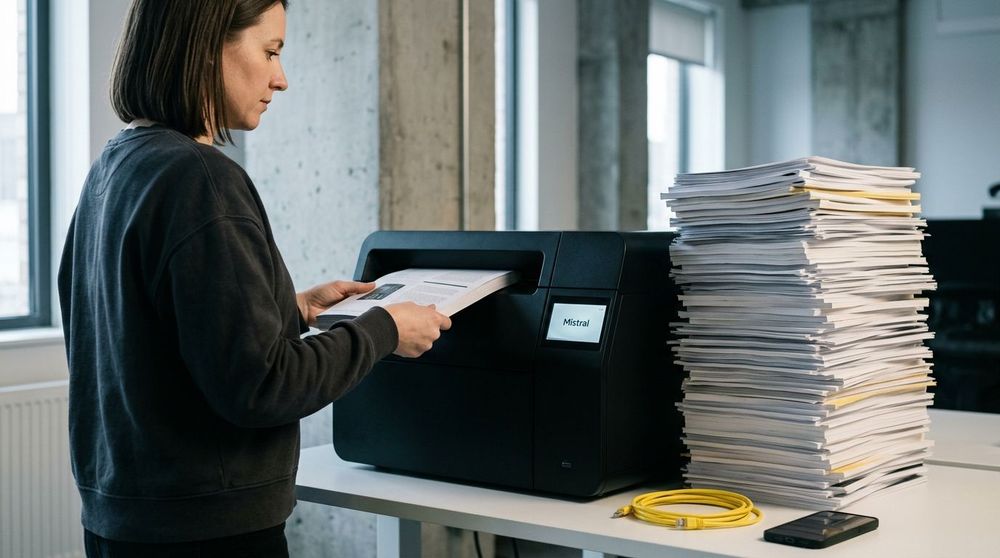
On June 23, 2026, Mistral AI released Mistral OCR 4. In my opinion, this release represents progress in how computers read documents. Older tools usually copy words and dump them into a disorganized pile, which ruins the original page layout. The way I see it, Mistral has built a system that analyzes a page more like a human observer, preserving the layout and format.
How the New Tool Works
What stands out to me is how the tool organizes the information it extracts. Instead of exporting plain text into a messy file, it provides three specific outputs:
- Exact Locations: The tool maps out the position of every word on the page, using virtual bounding boxes with precise coordinates.
- Labels: It identifies whether a block of text is a title, a table, a mathematical formula, or a signature.
- Confidence Scores: It outputs a score showing how certain the tool is about its accuracy. If the score is low, users can easily flag the file for human review.
This tool supports 170 languages across 10 different language groups. It reads complex writing systems, including Hindi, Japanese, Georgian, Bengali, Hebrew, Greek, and Tamil. These are languages that often cause older optical character recognition systems to fail. I noticed that the tool is small enough to run locally on a single computer or container. This is a practical feature for companies that must maintain data privacy and comply with regulations like the European Union AI Act, which takes effect on August 2, 2026.
To me, an important benefit of this tool is how it assists businesses with document search. Traditional indexing systems often split tables or paragraphs across page breaks, which disrupts the context. This tool preserves those text blocks naturally, making it highly useful for digital assistants that require clean data to function effectively.
Where This Tool Can and Cannot Be Used
That said, we must also consider the limitations of this technology. It is designed strictly for reading and structuring text, not for decision-making. I would not recommend using it for tasks requiring split-second decisions, or in high-risk areas such as medical diagnostics or legal judgments.
For businesses planning to adopt this tool, the pricing is structured based on volume. The standard API costs $4 per 1,000 pages. For companies processing files in batch mode, the rate falls to $2 per 1,000 pages. Mistral also offers a Document AI option at $5 per 1,000 pages, which delivers structured outputs without requiring custom cleanup code.
In blind evaluations, independent reviewers preferred Mistral's output 72% of the time compared to competing systems. The model scored 85.20 on the OlmOCRBench public benchmark and 93.07 on OmniDocBench.
I should note that these automated benchmarks are not perfect. A test might mark an output as incorrect even if the tool read the page accurately. This occurs when the benchmark answer key contains typos, or when a mathematical formula is written in an alternative but mathematically equivalent format. Additionally, multi-column layouts, headers, and footers can sometimes confuse the automated evaluation metrics.
Early adopters, including the financial firm Rogo and the legal tech company Anaqua, are already using the tool to process invoices, archive company records, and index files. It offers a practical method for organizations to automate paperwork and reduce manual data entry.

Sources:
Related articles

Inside the Google Gemini 3.8 Live Avatar Architecture
Google's Gemini 3.8 Live Avatar lets enterprises build real-time digital personas. Inside the low-latency, neural rendering architecture behind it.


Accelerating Local Air Pollution Modeling with Earth-2 CorrDiff
Earth-2 CorrDiff uses AI to model air pollution faster and more accurately, enabling policy simulations, health alerts & local training. Open-source soon.


Microsoft AI Launches MAI-Transcribe-2
MAI-Transcribe-2: Microsoft's new ASR for audio-to-text. Faster, more accurate, 60 languages, code-switching, speaker diarization. Promo price $0.10/hr.