
Microsoft Launches MAI-Image-2.6 and MAI-Image-2.6-Flash
Microsoft launches MAI-Image-2.6 & Flash models. Top-tier image generation with advanced editing, web grounding & speed. Great quality & cost-effective.

Copy, download or open this article in ChatGPT or Claude
Microsoft recently expanded its multimodal lineup by launching MAI-Image-2.6 and MAI-Image-2.6-Flash. Available now through the Microsoft Foundry portal, both models are latent diffusion architectures, generating images by iteratively filtering noise from latent space. This update gives developers a much tighter grip on text-to-image creation and complex, multi-layered visual editing.
Performance Profiles and Key Features
The flagship model, MAI-Image-2.6, focuses heavily on output quality and granular control. Independent tests on the Arena benchmarking platform place the model second globally for both text-to-image generation and image editing. Similarly, analysis by benchmarking firm Artificial Analysis ranks MAI-Image-2.6 as the second-best text-to-image generator on the market, while placing it first overall for image editing tasks.
Three core features drive these capabilities:
- Multi-image reference editing: The model can analyze several reference images at the same time, helping it understand the broader context of an edit.
- Web grounding: By pulling real-world factual data directly from the web, the model can ground its generations in accurate, real-world details.
- Dynamic aspect ratios: This lets developers process and generate canvas orientations beyond standard square compositions.
For teams running high-volume enterprise workloads, Microsoft introduced MAI-Image-2.6-Flash. This speed-focused version generates images 2.8 times faster than competitor GPT-Image-2-Medium, while boasting a 72 percent jump in efficiency to keep operational compute costs down.
Technical Specs and Prompt Mechanics
Getting these models up and running involves a straightforward API integration. Developers send text prompts to the endpoint and receive PNG outputs in return. The API requires a minimum resolution of 768 pixels for both width and height, capped at a maximum budget of 1,048,576 pixels. This maximum aligns with a standard 1024x1024 square image, but developers have the flexibility to configure different rectangular aspects as long as they stay within that total pixel limit.
Under the hood, the API handles precise image-to-image edits quite well, letting users swap out objects, tweak colors in specific areas, and even generate clean, legible text inside an image. But to get the absolute most out of these models, structured writing matters.
Take a look at this detailed prompt:
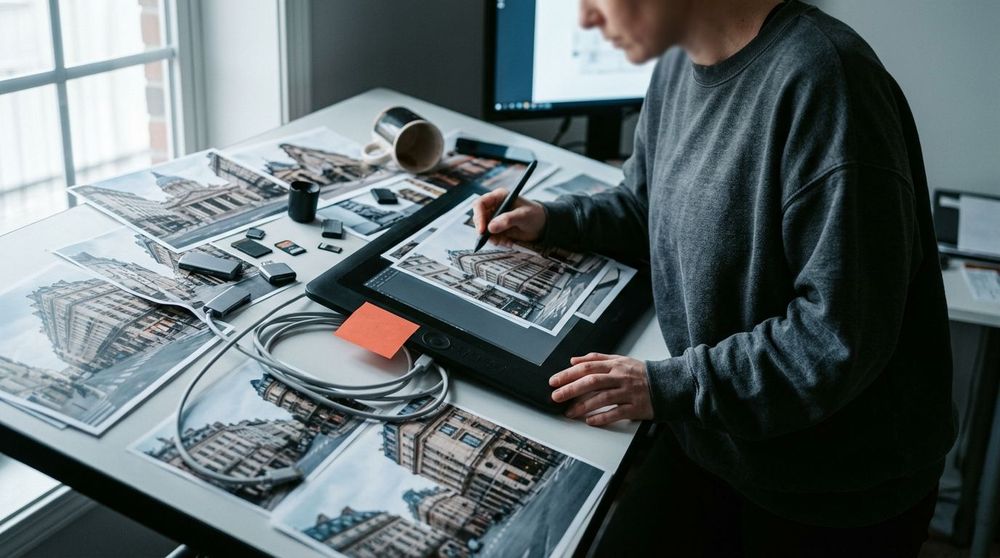
"Street-level wide-angle photograph of the Metrópolis Building where Calle de Alcalá meets Gran Vía, Madrid, as it stands today. Early winter morning, low sun raking across the Beaux-Arts façade, bare plane trees, wet asphalt after overnight rain. Slate dome under gold leaf, the bronze Winged Victory on the cupola, and the four allegorical figures of Mining, Agriculture, Industry and Commerce along the colonnade. Long exposure so traffic blurs down Gran Vía while the building stays sharp."
How Token Weighting Works
When generating an image, the model relies on a cross-attention mechanism. Think of this as the engine that determines which words in a prompt deserve the most weight, translating specific text inputs into visual details.
In our Madrid prompt, the mechanism handles phrases like this:
- "wet asphalt after overnight rain": Tells the attention mechanism to render realistic, high-contrast light reflections bouncing off the street.
- "long exposure": Signals the model to apply motion blur to the traffic moving down the avenue while keeping the architectural details of the building sharp and well-defined.
This targeted token steering allows the model to map specific phrases directly to precise coordinates and styles in the final image.
To ensure safe deployments, Microsoft built configurable safety guardrails right into the API. Developers can set up filters to block violent or toxic content, alongside policy-level controls to protect copyrighted material and personal privacy.
Overall, MAI-Image-2.6 is a top-tier model that can easily compete with the best tools from OpenAI and Google. Its main strengths are beautiful image quality, realistic details, clear text inside the images, and its ability to follow prompts closely while keeping edits highly consistent. On the downside, it is still quite new, and the very best competitors can sometimes outperform it on highly complex images. When it comes to price, it is very competitive, and the Flash version is a great option for cheaper, faster creations without losing out on quality. Ultimately, Microsoft is now a serious player at the top level of image generation, making this model an excellent choice when you want a smooth balance of speed, cost, and quality.

Related articles

Google Replaces Gemini Gems With Skills Automation Engine
Google replaces Gemini Gems with "Skills," a new AI automation engine integrated directly into your chat, now requiring a paid subscription.


Inside the Google Gemini 3.8 Live Avatar Architecture
Google's Gemini 3.8 Live Avatar lets enterprises build real-time digital personas. Inside the low-latency, neural rendering architecture behind it.

Accelerating Local Air Pollution Modeling with Earth-2 CorrDiff
Earth-2 CorrDiff uses AI to model air pollution faster and more accurately, enabling policy simulations, health alerts & local training. Open-source soon.